Help Uploading and Submitting Documents
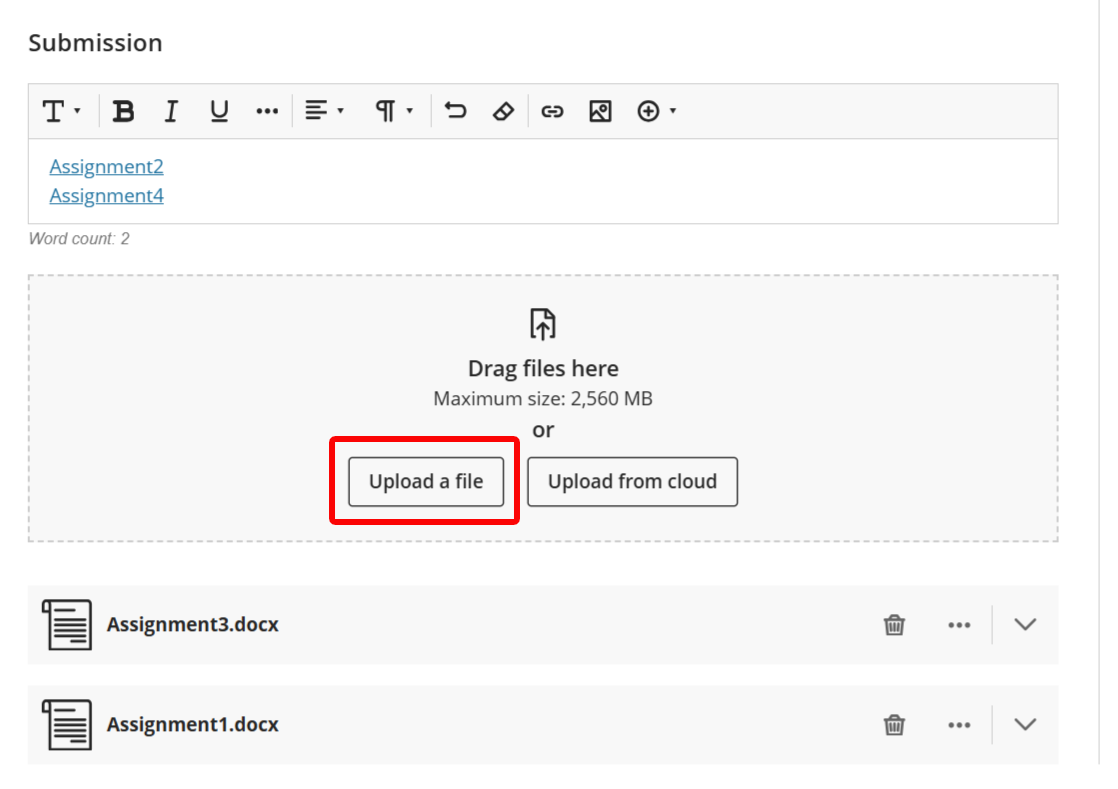
From the appropriate learning module in NSU Blackboard, select the assignment you want to complete.1. To submit a file from your computer to NSU Blackboard, click the "Upload a file" button, select your document, and upload it. In this example, Assignment1 and Assignment3 were submitted using this method.
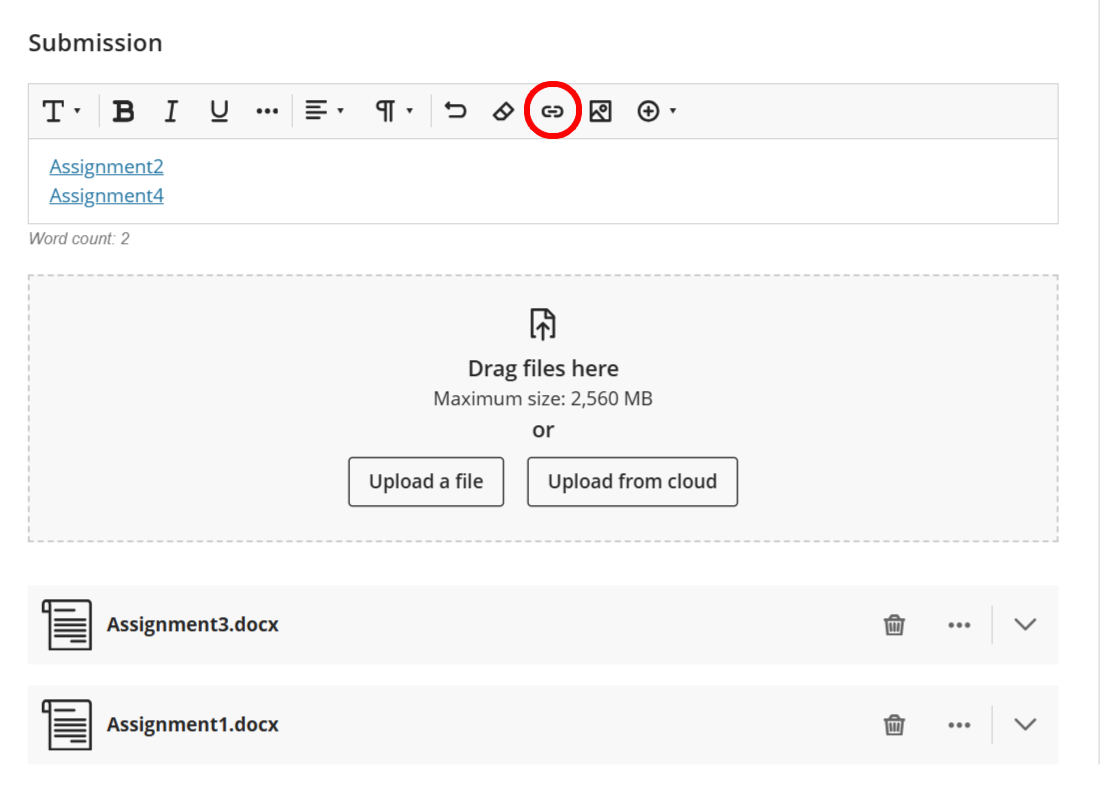
2. To submit a link to your work to NSU Blackboard, type the assignment name (e.g., Assignment2).
Select this text, click the "Link" icon, and paste the link to your file.
In this example, Assignment2 and Assignment4 were submitted using this method..